Features
See where you stand. Fix what isn't there yet.
A tutor that knows your exam, timed full-length mock exams, and four study tools that turn any topic, PDF or photo of your notes into practice.
Personal tutor
Ask anything. It remembers what you find hard.
Ask about drugs, mechanisms, calculations or clinical scenarios and get a clear explanation. Quick questions get quick answers, while calculations, patient cases and pasted exam questions get extra time to reason them through. Your tutor remembers your exam date and level, picks up on the topics you find tricky and how you like things explained, so every chat builds on the last.
- Answers in Canadian terms: drug names, guidelines, NAPRA standards
- Remembers your weak areas across chats, and you control what it keeps
- Thinks harder on calculations, patient cases and exam questions
- Upload PDFs and images to study from your own material
- Save an answer or a whole chat as a PDF, and star, rename and search past sessions
Daily Study Loop
Open the app and the day is planned
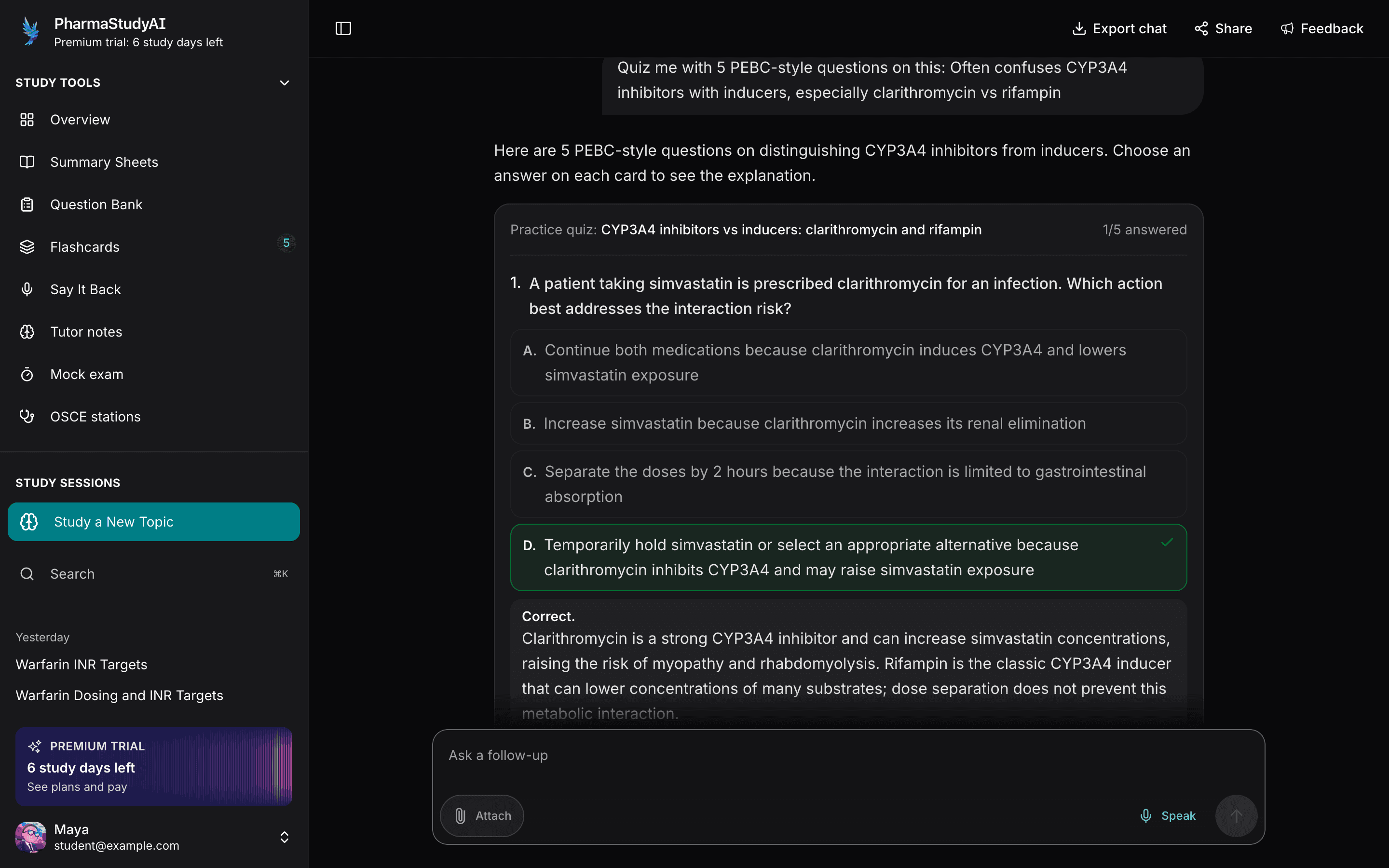
Your home page opens on a Today panel: the flashcards and recall cards due on their spaced schedule, your weakest topic as a one-tap question set, flashcards or summary sheet, what your tutor remembers about you, a free question of the day and your study streak. Add your exam date and it also suggests one thing to focus on for where you are in your prep, from covering every area to light review in the final two weeks. Every session ends with the next useful step, and if something is due or a set is unfinished, a short morning email reminds you. New accounts pick their exam sitting and where to start, and their first questions and flashcards are ready straight away.
- Due cards, weakest topic, tutor notes, question of the day and streak in one panel
- Every session ends with a next step, plus one tap to the same topic in another tool
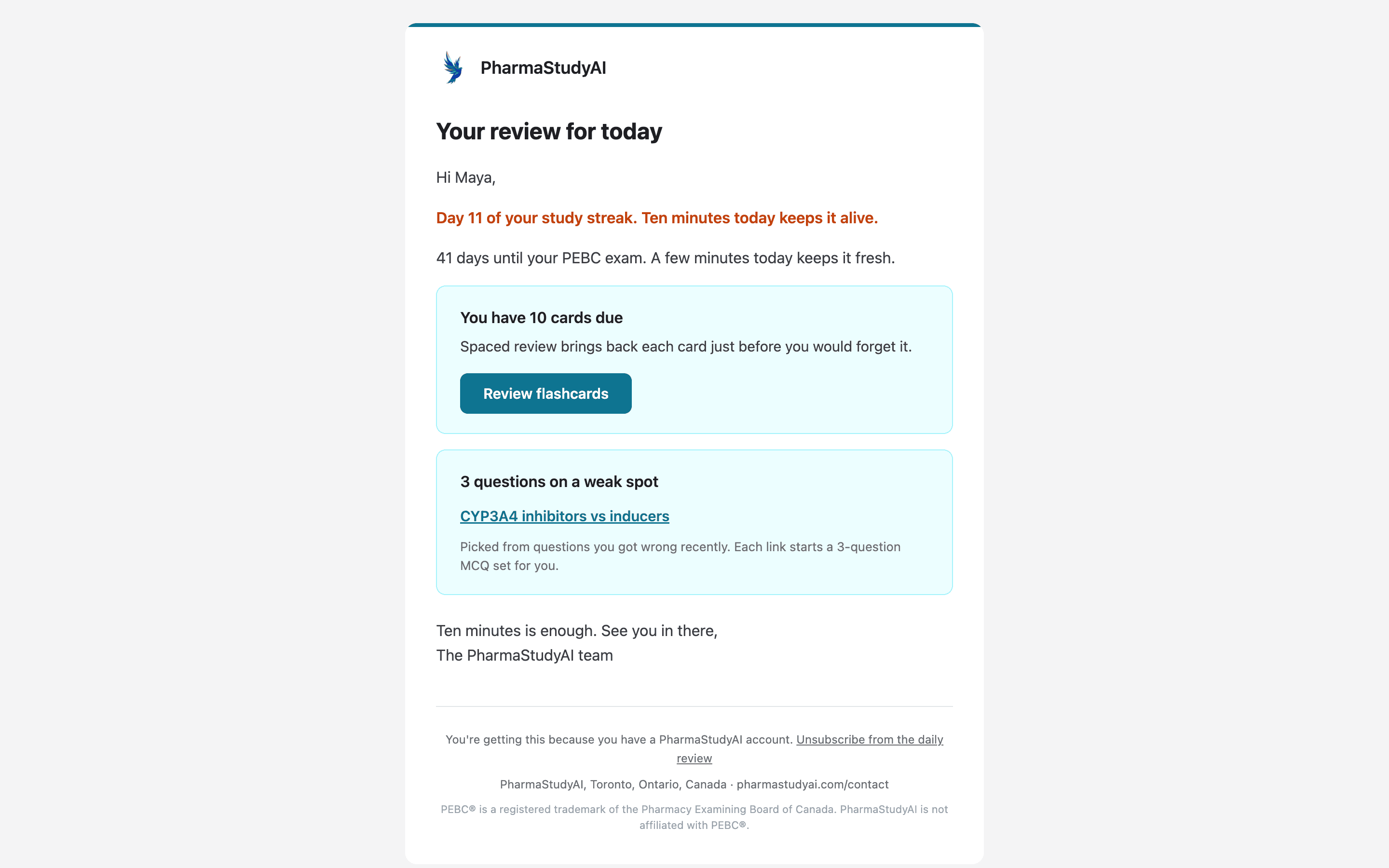
- A morning email only when you have cards due, a set left unfinished or a weak spot to work on
- Free on every plan: reviews and the question of the day never use your daily allowance
- Add your exam date for one tip on what to focus on at your stage of prep
Use it like an app on your phone: add it to your home screen once and it opens full screen from its own icon. See how
Question Bank
MCQs that teach, not just test
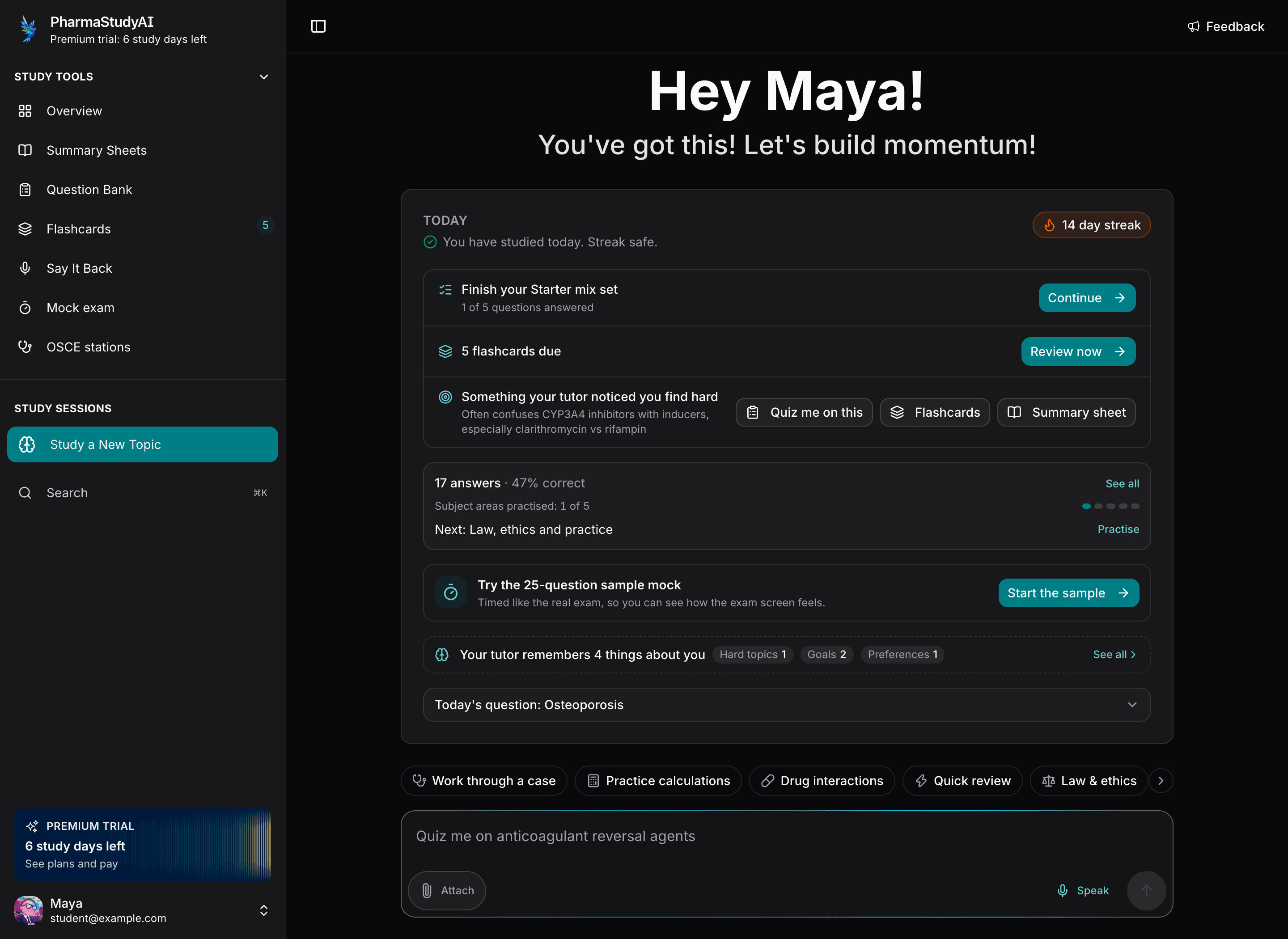
Generate Part I style questions on any topic, or from your uploaded notes, at beginner, intermediate or expert level. Every question shows why the correct answer is right and why each wrong answer is wrong, with real reasoning rather than a bare 'incorrect'. Each question written for your set is solved again without the answer key and fact-checked before you see it. When the fact check finds a Canadian source that backs the answer, it is named under it. A new set can also include questions first written for other candidates that passed the same fact check, never one you already have. If you like, say how sure you are before you answer: anything you were sure of but got wrong is flagged as a blind spot. An optional pace timer shows how long you take against the time Part I allows, and a question list lets you jump to any question, step through only the ones you missed and retry just those. The mock exam's Calculator, Formula sheet and Scratchpad open beside every set too, and you can highlight the question and strike out the options you've ruled out.
- Choose difficulty: beginner, intermediate or expert
- An explanation for every option, right and wrong
- Every question written for your set is solved again and fact-checked before you see it
- Written to PEBC's current Qualifying Examination blueprint
- Optional: say how sure you are, and confident mistakes come first in your weak spots
- Optional pace timer against the 260 minutes Part I gives for 200 questions
- Jump to any question, step through only the ones you missed, then retry just those
- The mock exam's Calculator, Formula sheet and Scratchpad open beside every set, and you can highlight the question and strike out options you've ruled out


Mock Exam
A full Part I rehearsal, then a plan for what to study
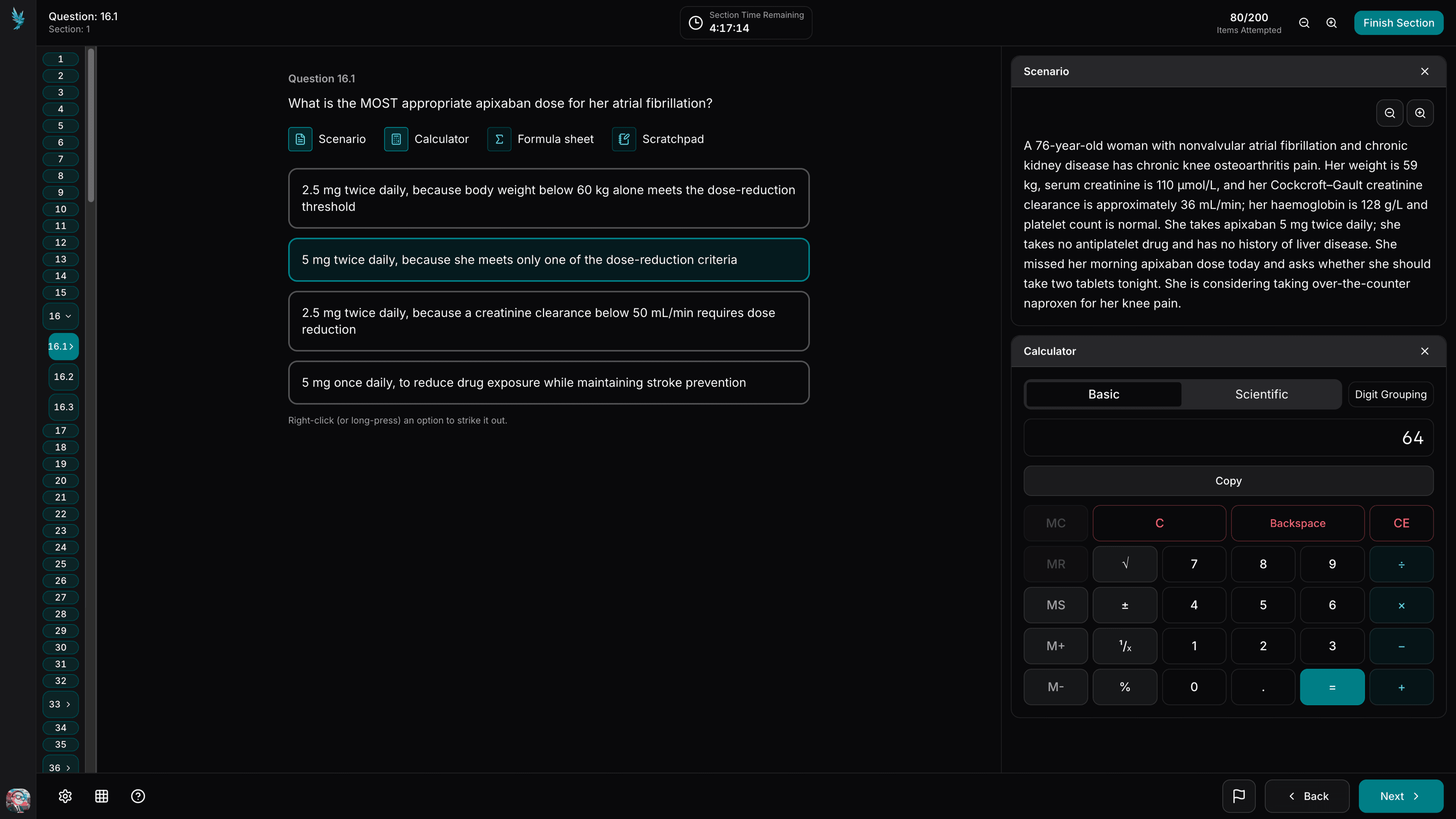
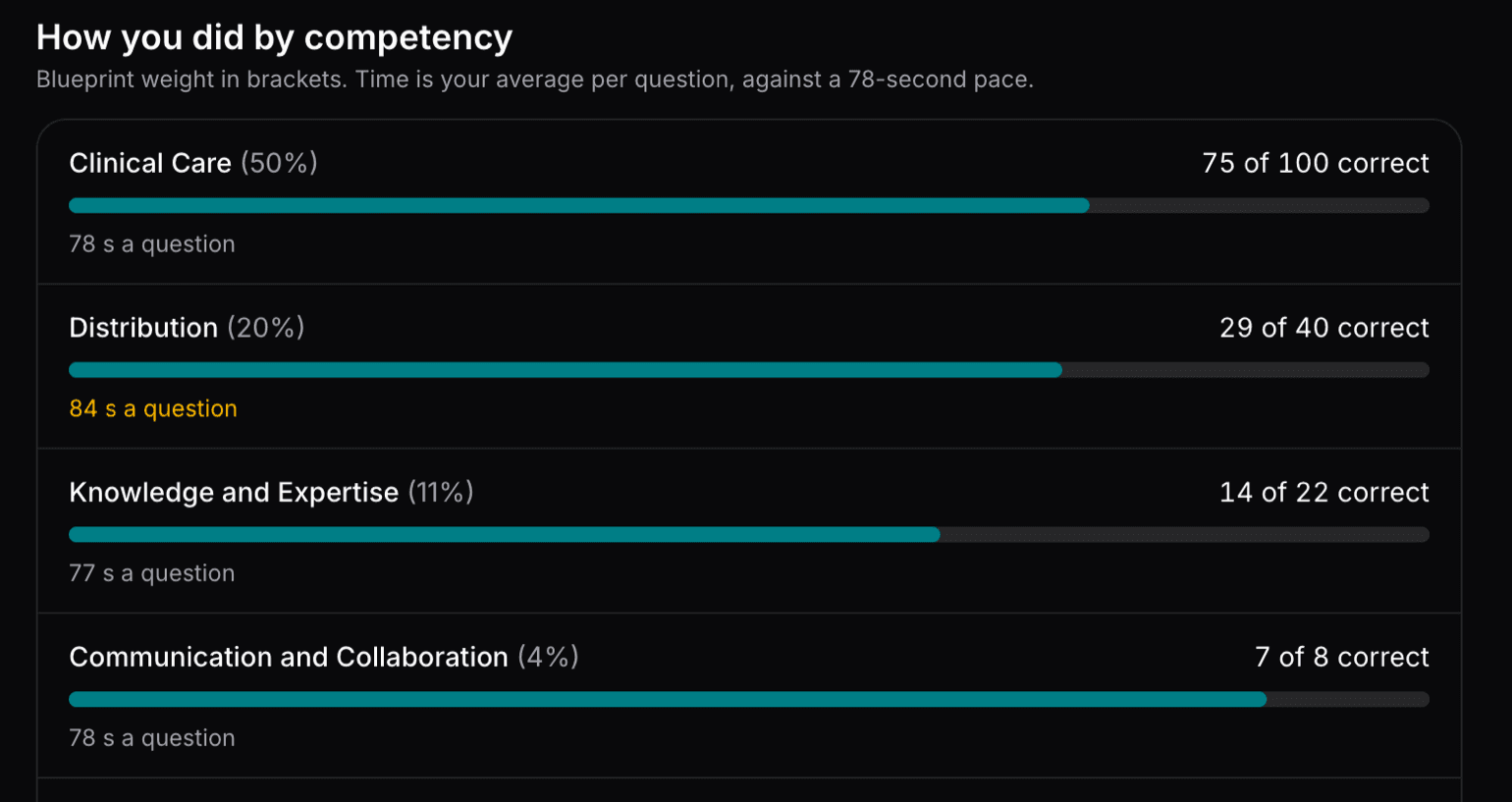
Sit a full mock of 200 questions, 4 h 20 min, like the real exam, in the competency mix of PEBC's blueprint. The exam screen is modelled on PEBC's computer-based exam, with the clock and Finish Section on top, a question column, Flag, Back and Next, and the same two-step confirm before you finish. The Calculator (Basic and Scientific), the Formula sheet and a Scratchpad open beside the question, and the timer keeps running on our server, so a refresh or a second device picks up where you left off. Your results show your score by competency, your time per question and your slowest questions, and every question comes with its explanation and sources.
- 200 questions in 4 h 20 min, or a half mock of 100
- An exam screen modelled on PEBC's computer-based exam: question column, clock, Flag, Back and Next, and a two-step finish
- Calculator with Basic and Scientific modes, Formula sheet and Scratchpad beside the question
- Strike out options and highlight the question and case text as on PEBC's exam screen, flag questions and jump with Section Review
- Results by competency, with your time per question against a 78-second pace
- Every question explained with its sources, with a practice set, flashcards, a summary sheet or the tutor ready for your weak topics
- Mock Exam 1 on Student, every mock in the library on Premium, with new ones added as we write them; a short sample mock on Free
OSCE stations
Run the station before you walk in.
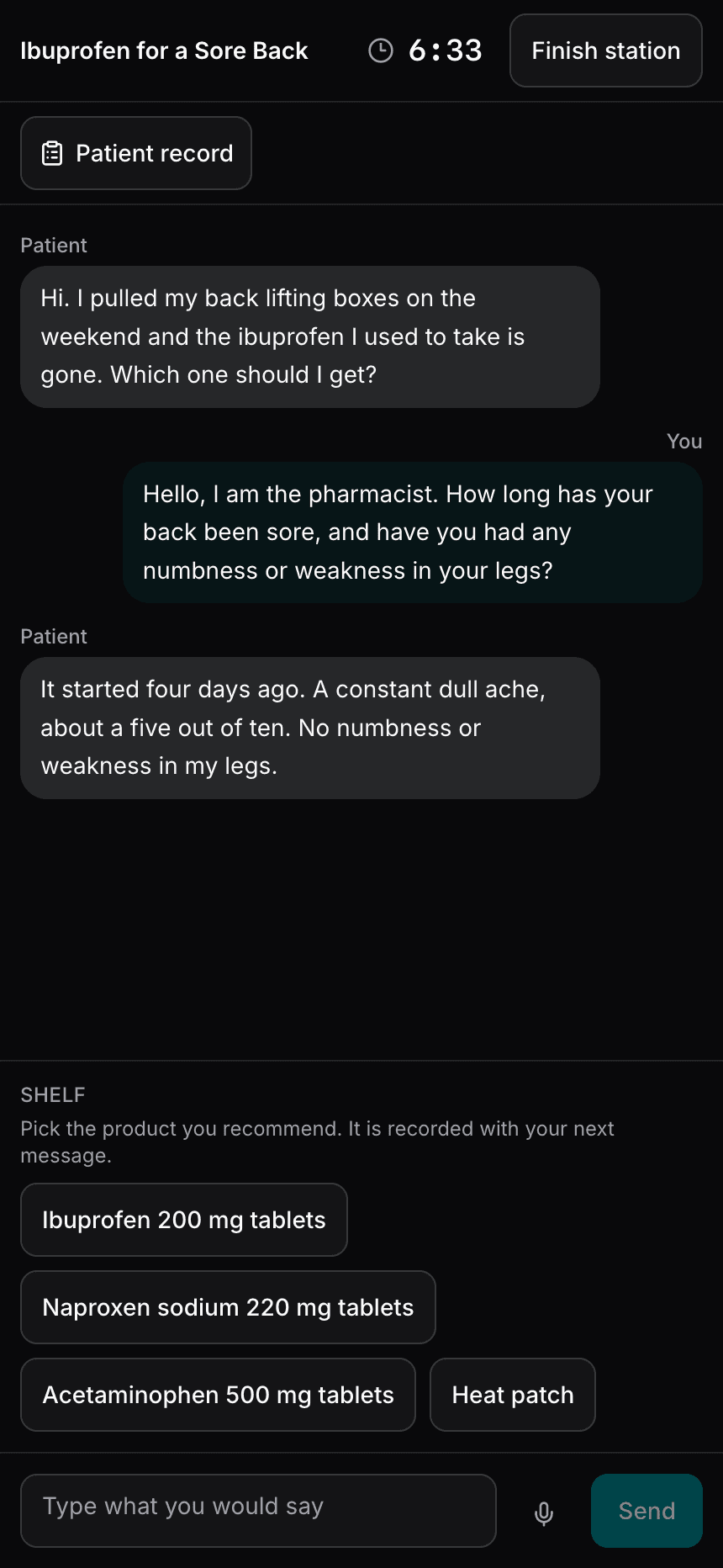
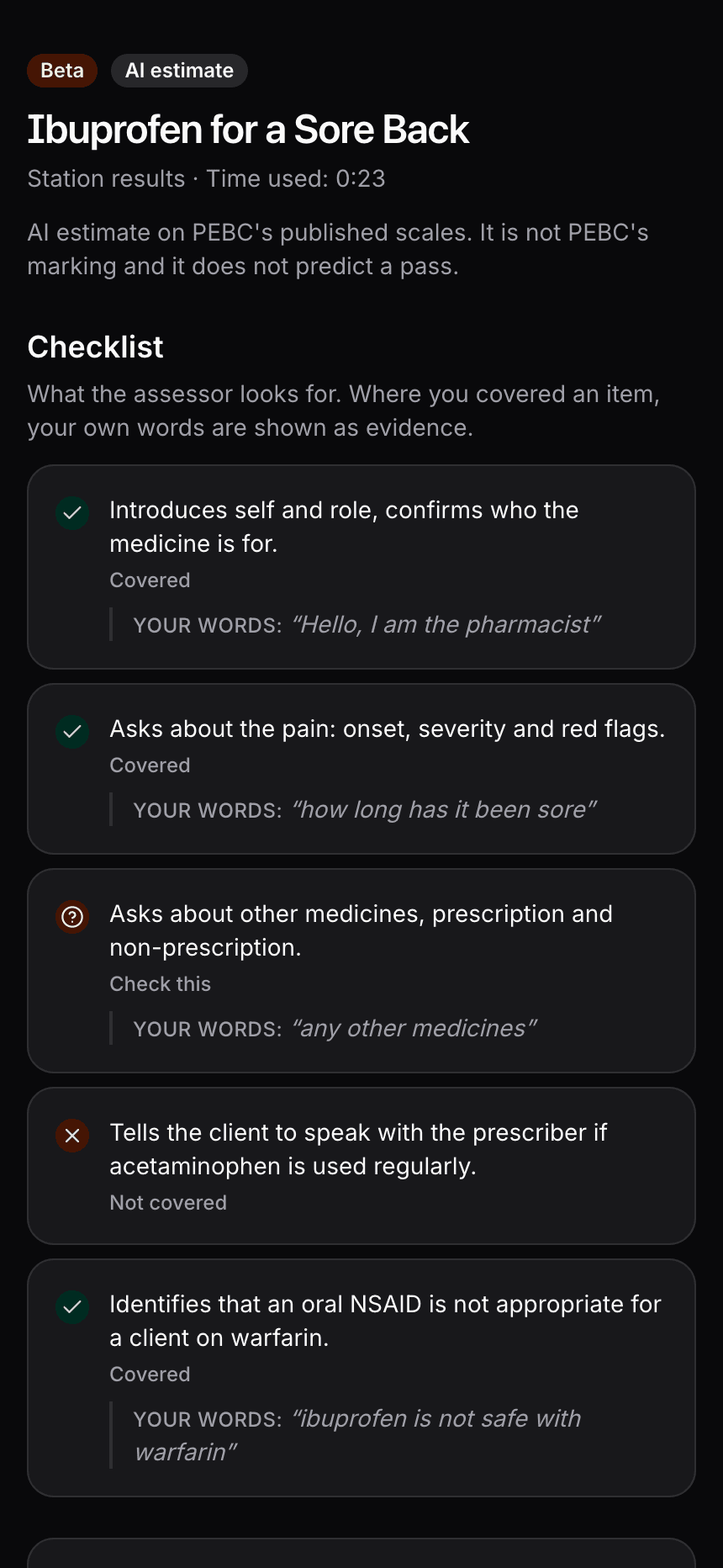
Practise Part II the way it runs: two minutes at the door, then seven minutes with a scripted patient, caregiver or health professional who answers only what you ask. Say your side with the mic or type it, then see the assessor's checklist with your own words beside every item you covered and a plain list of what you missed. Original stations written from public PEBC and clinical sources, never recalled exam content.
- Two minutes at the door, then a 7-minute clock
- A scripted patient who answers only what you ask and stays in character
- Say your side with the mic, or type it
- The checklist, with your own words as evidence beside each item
- PEBC's three scales, never a pass prediction
- Missed clinical points turn into a Say It Back set in one tap
Progress
Find your weak topics while there is still time to fix them
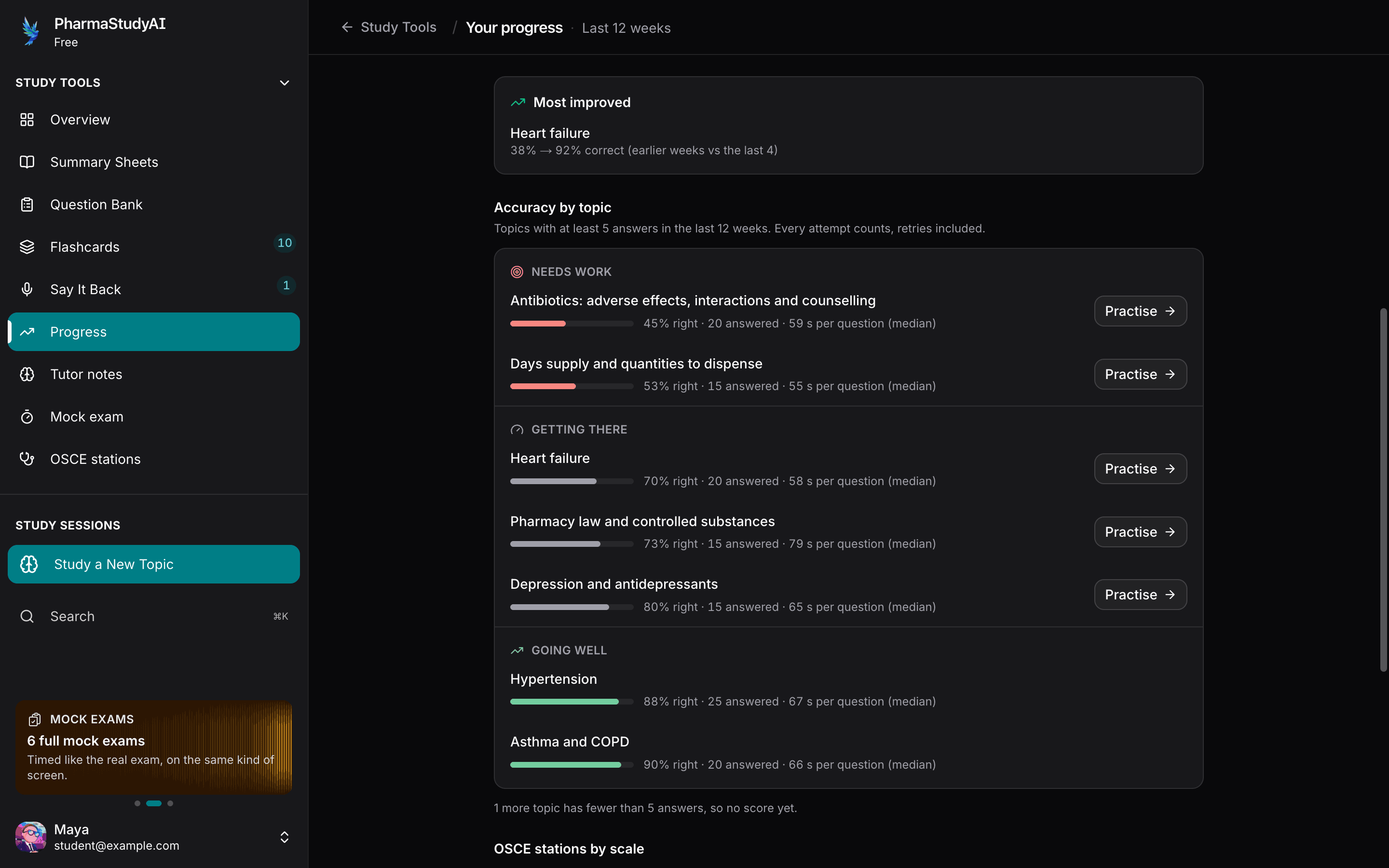
Picture the last two weeks before your exam. You open your progress page and it tells you plainly: antibiotics is at 45%, heart failure is getting there, hypertension is going well. So those two weeks go to the topics that would have cost you marks, not the ones you already know. Your progress page sorts every topic you have practised into Needs work, Getting there and Going well, shows your answers and accuracy week by week, and starts a practice set on a weak topic in one tap.
- Every topic you have practised, sorted into Needs work, Getting there or Going well
- A Practise button on each topic that needs it, and the next subject area to cover
- Answers and accuracy week by week, with your typical time per question on each topic
- Free on every plan and private to you
Summary Sheets
Your way, your length, your content
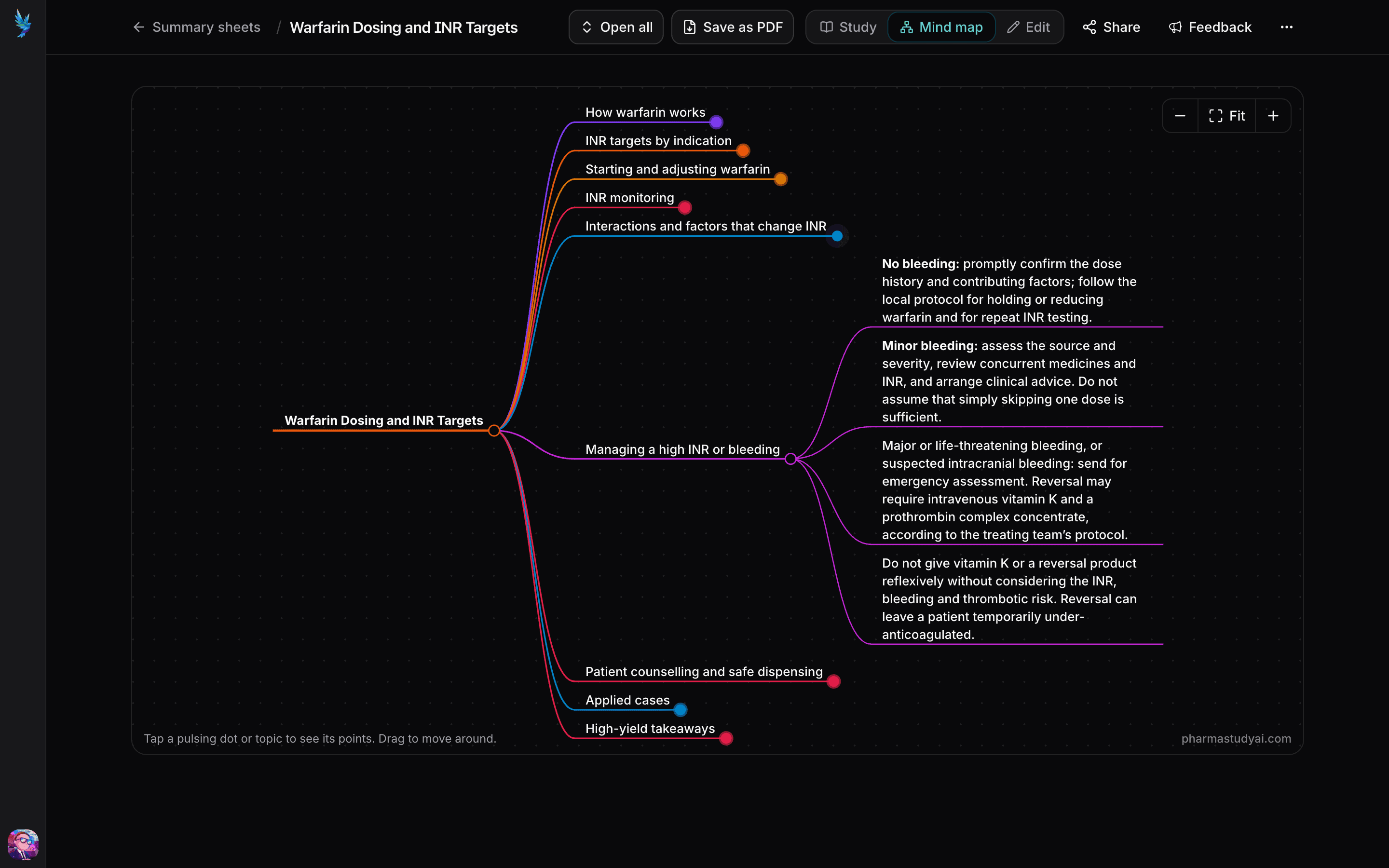
Type a topic, upload PDFs or snap textbook photos. Pick a short overview for quick review, a comprehensive deep dive, or a custom sheet where you say exactly what to include. Each sheet opens in a clean study view with a table of contents, turns into a mind map with one tap, and Quiz me hides the key terms so you can test your recall before exam day.
- Short, comprehensive or custom format
- Upload PDFs or snap photos with your camera
- Quiz me blurs the key terms, tap each one to check yourself
- See the whole topic as a mind map, one branch at a time, and save it as a PDF
- Edit like a document, then print or save as PDF

Flashcards
Instant decks, your way
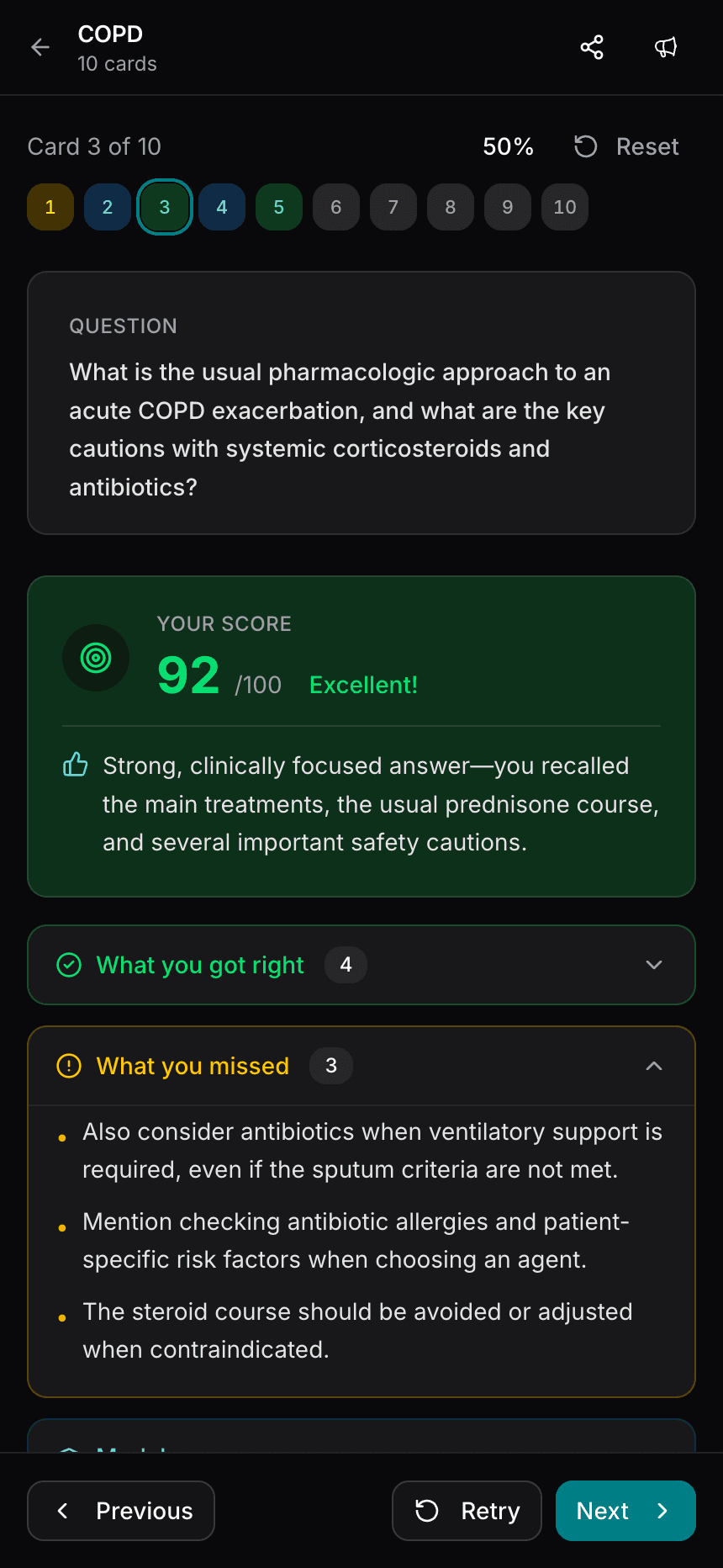
Type a topic, upload PDFs or snap your notes and get a deck right away. Choose the card style and what to include, from key terms and mechanisms to formula and calculation cards. Mark each card as known or still learning, then review only the ones you haven't nailed yet.
- Start from a topic, a PDF or a photo
- Choose card style, content focus and difficulty
- Include formula and calculation cards
- Mark cards Know it or Still learning; due cards come back on a spaced schedule and show on your home page


Say It Back
Say it out loud. Find your gaps.
Stop passively rereading notes. Tap the mic and say what you know about a topic from memory, the way you would explain it to a patient, and get instant feedback on what you got right, what you missed and what needs correcting. Typing works too. Then ask follow-up questions until it makes sense, and add more cards whenever you want to go further.
- Tap the mic and speak your answer, or type it: scored 0-100 on what you meant
- Ask follow-up questions about any answer
- Paste a study outline or PDF and every section gets covered
- Add more cards on what a set hasn't covered yet

Pocket Cards
Quick cards and short video cases, sorted by topic
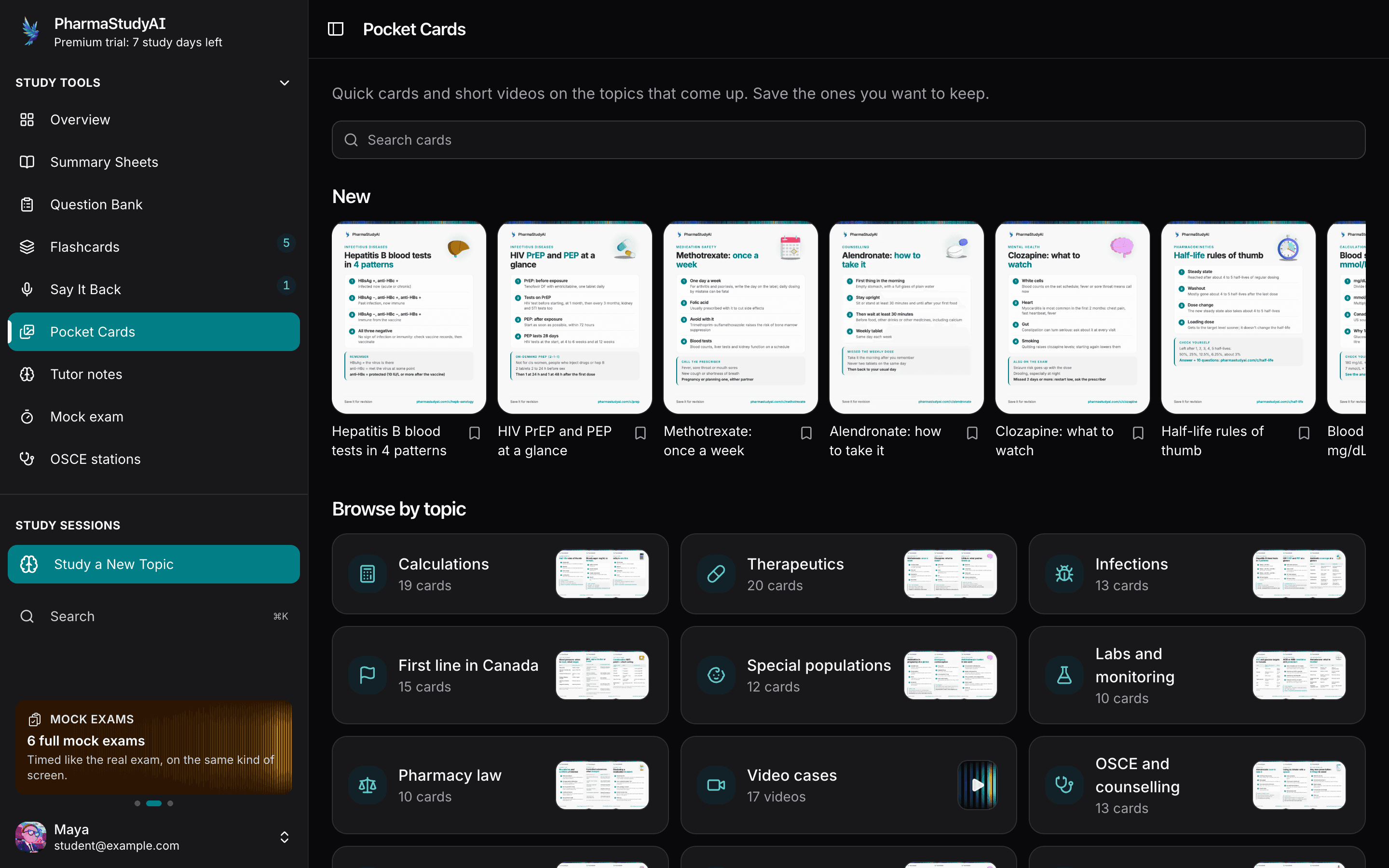
One-glance reference cards and short video cases, sorted into 12 topics. Open a card we share, tap Save, and it joins your collection for good. On the bus, on a break or the night before the exam, open a topic and go through your cards one by one.
- Twelve topics on the shelf, with a search box to find any card in your collection
- Go through a topic card by card with Next, the arrow keys or a swipe
- Save the cards we share and open them again from Saved, whatever your plan
- Free: save the cards we share and build your own collection. Student and the 7-study-day trial: a starter card in each of the 12 topics, plus every card you save. Premium: two starter cards in each of the 12 topics, plus every card you save.
Study with friends
Send any set by link, no account needed
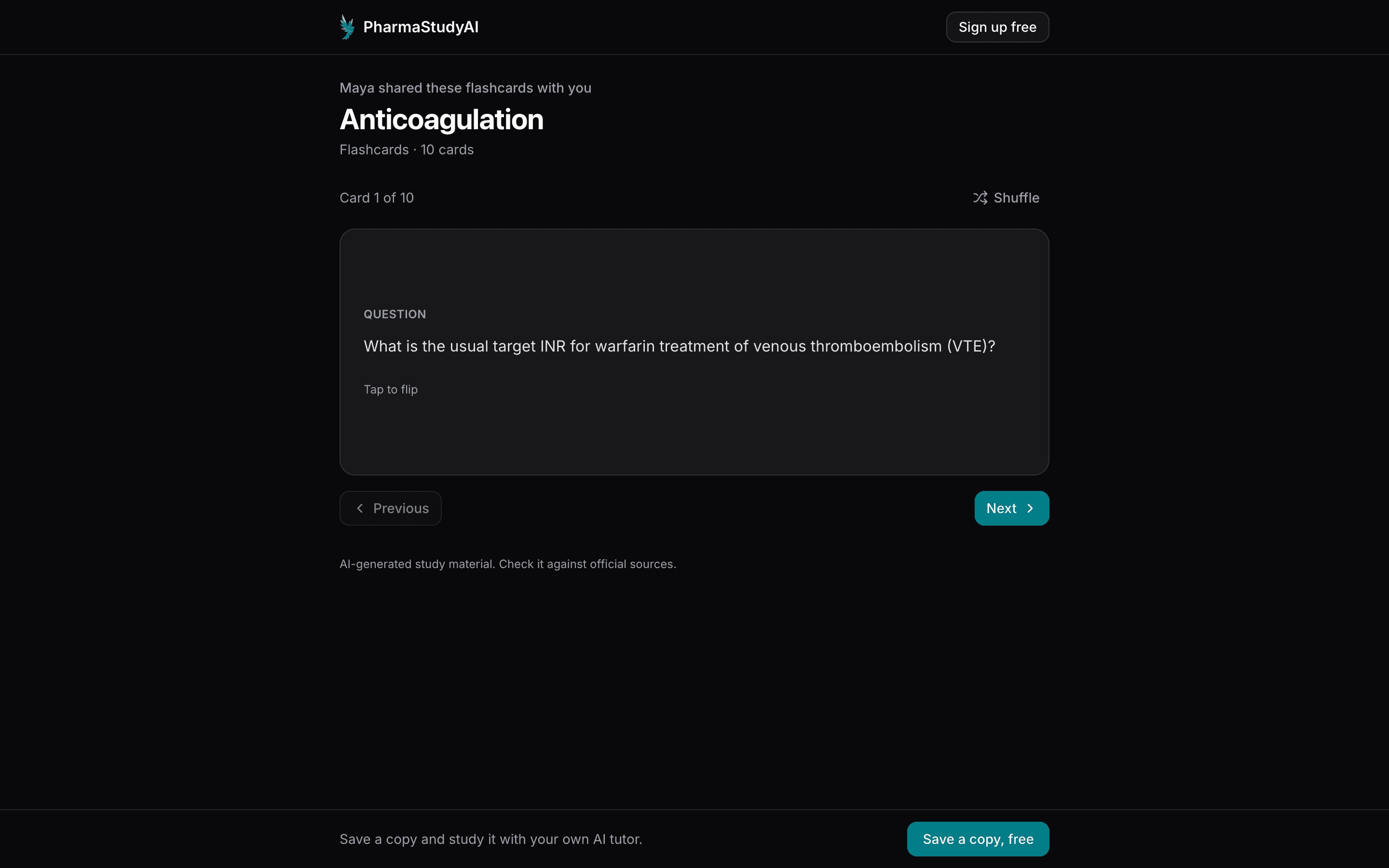
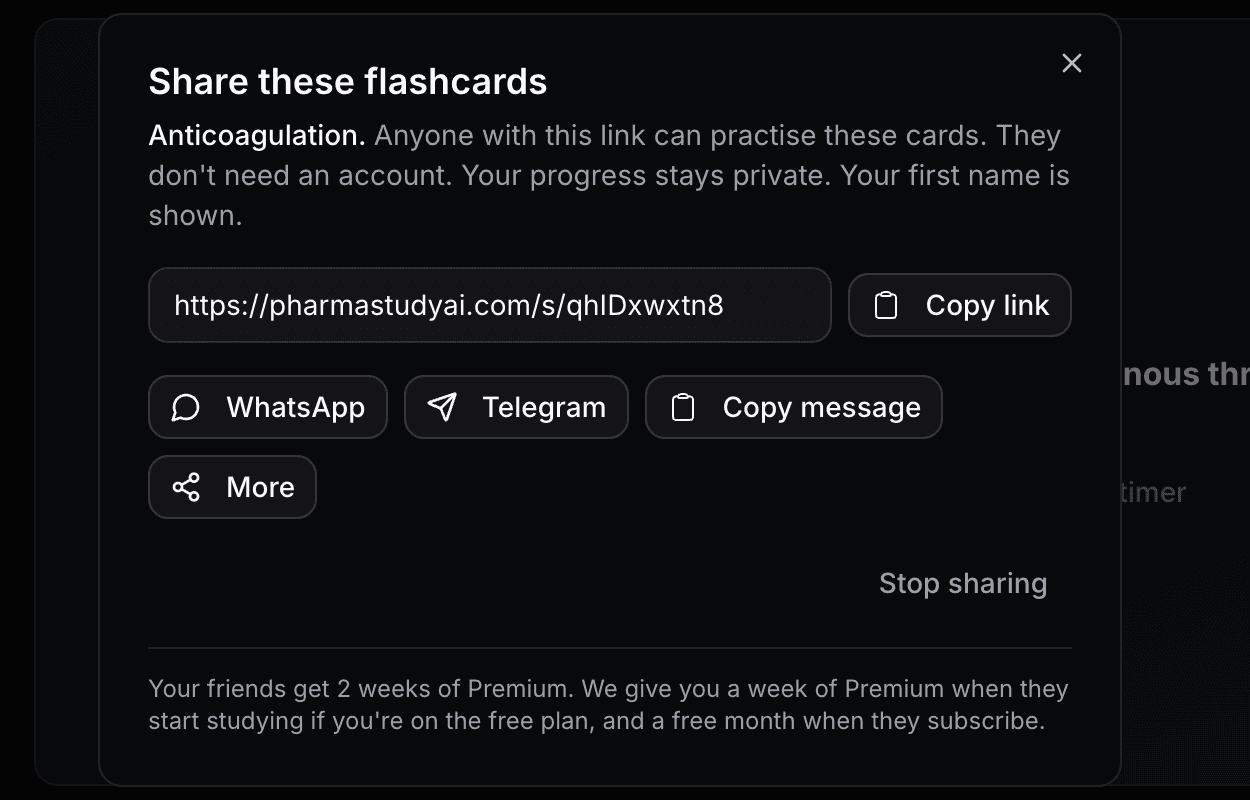
Share flashcards, a question set, a Say It Back set, a summary sheet with its mind map, or a tutor chat with one link. Send it on WhatsApp or Telegram, or copy it. Friends open it without an account, and Save a copy puts it in their own library so they can study it with their own tutor. Sharing is free on every plan, and you can stop sharing any time. After you finish a question set, you can switch on Show my score: a friend who finishes it sees both scores and can challenge someone else.
- Free on every plan, as many links as you like
- Friends open it without an account, then Save a copy to their own library
- One tap to send on WhatsApp or Telegram, with a preview card in the chat
- Friends who sign up from your link get 10% off a monthly plan, and you get a free month when they subscribe
- Your progress stays private unless you switch on Show my score for a question set, and a chat link shows only the messages up to when you shared it
Start from what you already have.
Lecture notes, a textbook chapter or a topic you keep forgetting. Every tool takes the same three inputs.
Type a topic
Be specific, like “insulin types and dosing”.
Upload a PDF
Slides, notes or reference material.
Snap your notes
Handwritten pages and textbook photos.
Try every tool free.
The free plan includes the tutor and all four study tools. No credit card required.